
Ema Breakout Trend HL
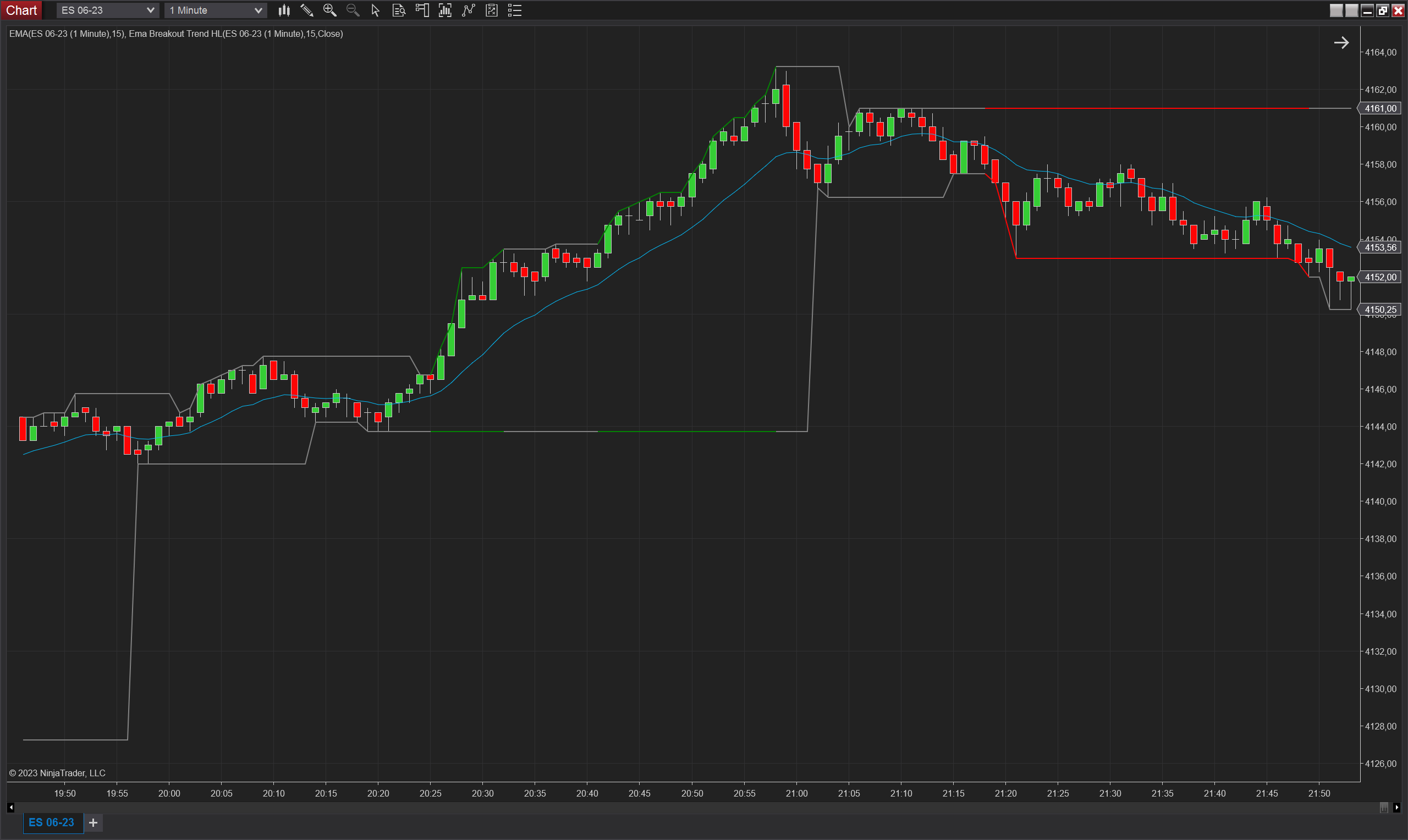
Description
The Ema Breakout Trend HL indicator is a technical analysis tool for use in NinjaTrader 8, designed to help traders identify trends and potential breakout points in the market. The indicator calculates upper and lower levels based on an exponential moving average, and identifies potential breakout points when the price of an asset closes beyond these levels.
When a breakout occurs, the indicator checks subsequent bars to determine whether the trend is valid. Specifically, the indicator considers the trend valid if subsequent bars do not touch or close back inside the broken level. For example, if the first bar closes above the upper level, the subsequent bars need to have their lows above the upper level for the trend to be considered valid. If a subsequent bar touches or closes back inside the broken level, the trend is considered sideways.
The user can select the way in which the indicator operates using the Trend Type parameter, which has two options: Close and Touch. If the user selects Close, the indicator will only consider the breakout valid if subsequent bars close outside the broken level and do not close back inside. If the user selects Touch, the indicator will consider the breakout valid if subsequent bars do not touch or close back inside the broken level.
When the indicator identifies a valid trend, it colours the upper and lower levels to indicate the direction of the trend. This information can help traders identify potential trading opportunities and make more informed decisions about when to buy or sell assets. Overall, the Ema Breakout Trend HL indicator is a useful tool for technical analysis and can help traders identify trends and potential breakout points in the market.
Parameters
Period: Period of the EMA used in the calculation of the levels
Trend Type: This parameter allows the user to select the way in which the indicator operates, using two options: Close and Touch. If the user selects Close, the indicator will only consider the breakout valid if subsequent bars close outside the broken level and do not close back inside. If the user selects Touch, the indicator will consider the breakout valid if subsequent bars do not touch or close back inside the broken level.
Trend Up Color: The color of the Upper and Lower levels then there is an up trend based on the selected parameters.
Trend Down Color: The color of the Upper and Lower levels then there is a down trend based on the selected parameters.
No Trend Color: The color of the Upper and Lower levels then there is no trend based on the selected parameters.
Plots
Upper (double): Represents the last swing high level
Lower (double): Represents the last swing low level